
From your Studio > App > Contents, click on Add Content (on the right), and select New form. 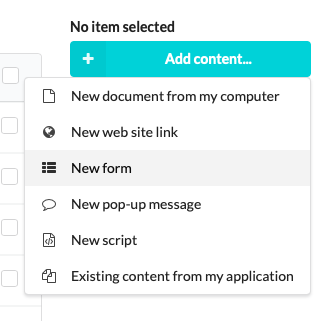
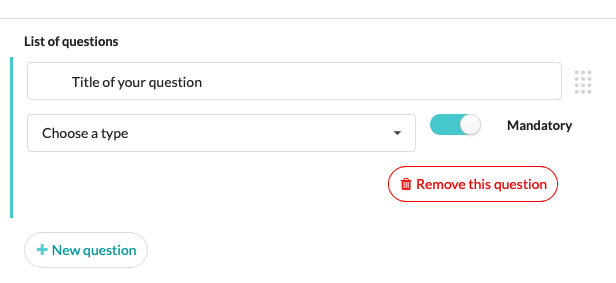
Click on New Question and select the type of question (text, checkboxes, signature…)
Add New questions, decide when they are Mandatory, and change the order of the questions by dragging the handle with your mouse (represented by a point block to the right of the question).
Please remember to click on "Add form" to save your form!
You can Clone or Duplicate a form:
- If you choose to duplicate it, a copy will be created independently of the first form.
- If you choose to clone it, the cloned forms will be linked: when making a change on one form, the change will apply on the other as well. This prevent you from making the same change several times but be careful if you mean to make the change for one form only.
The form is used by users to fill information in directly transferred to the Studio > Reporting > Response Forms from where you can extract the results in CSV or XLS.
Commentaires
0 commentaire
Vous devez vous connecter pour laisser un commentaire.