
Since we keep improving our services, we also release new versions of our Salesforce connector.
If you've installed a previous version of it, you might want to update it for the latest version.
Are you using a previous version of the connector ?
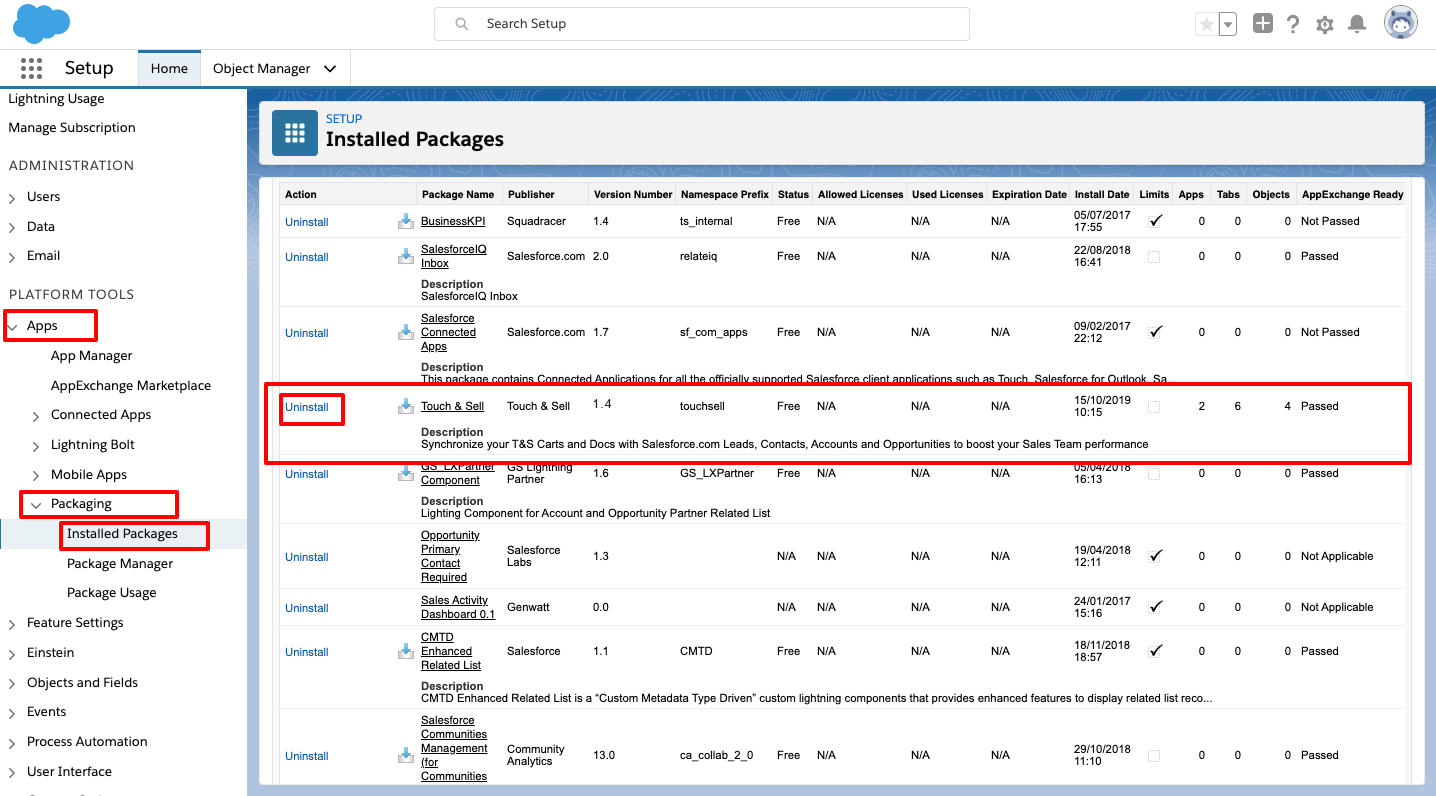
1/ Go to your Salesforce Settings (by clicking the ⚙️ at top right) > SetUp > Apps > Packaging > Installed packages.
2/ From your installed packages list, look for the one named " "Touch & Sell" .
3/ The latest version is the 1.5. If you have a lower version, you can update it.
Uninstall the old version
1. Still from your Salesforce> Set Up > Apps > Packaging > Installed packages, click "Uninstall" next to the "Touch & Sell" package.
2. You'll be asked to confirm. An email confirmation will be sent once the package is correctly uninstalled.
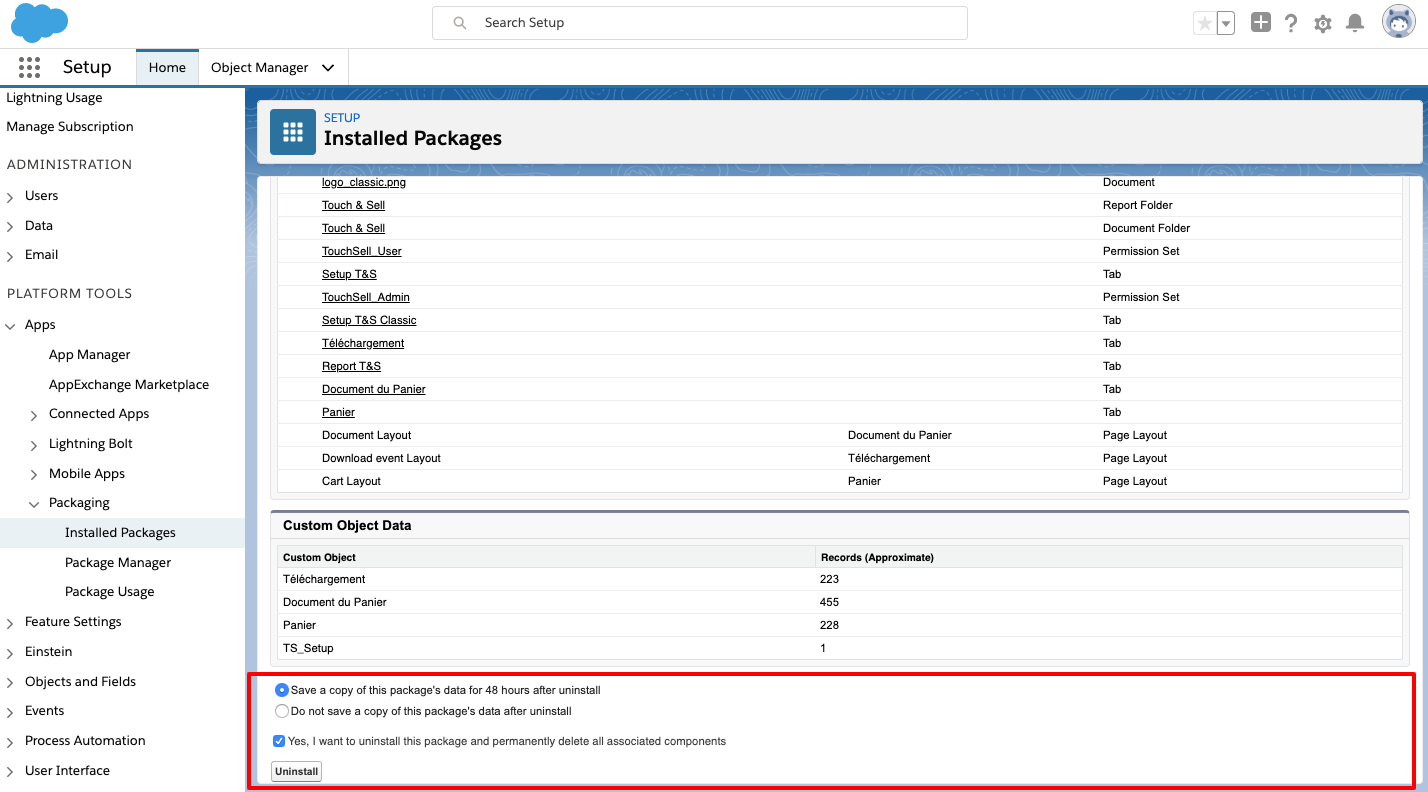
3. You can now install the latest version available, as explained is the article: "Salesforce connector for carts"
Commentaires
0 commentaire
Vous devez vous connecter pour laisser un commentaire.