
Several "users profiles" exist, depending on the level of access required by each user. Some will access the application, some others the Studio (admin interface), when some persons need to access both.
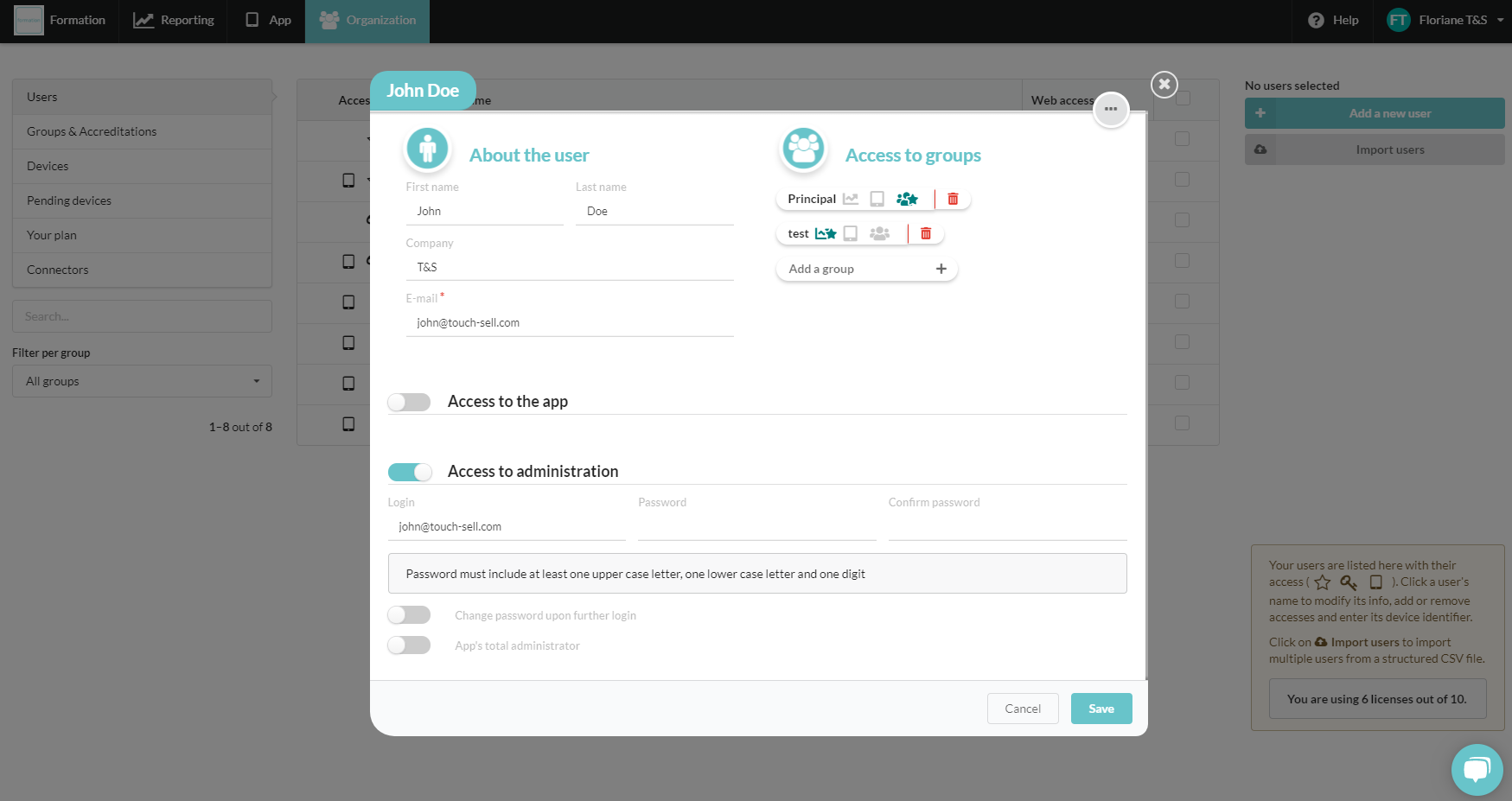
When creating/editing a user profile in the Studio > Organization tab > Users, you will be asked to activate/deactivate the following options: Access to the app and Access to administration (with different accreditations levels).
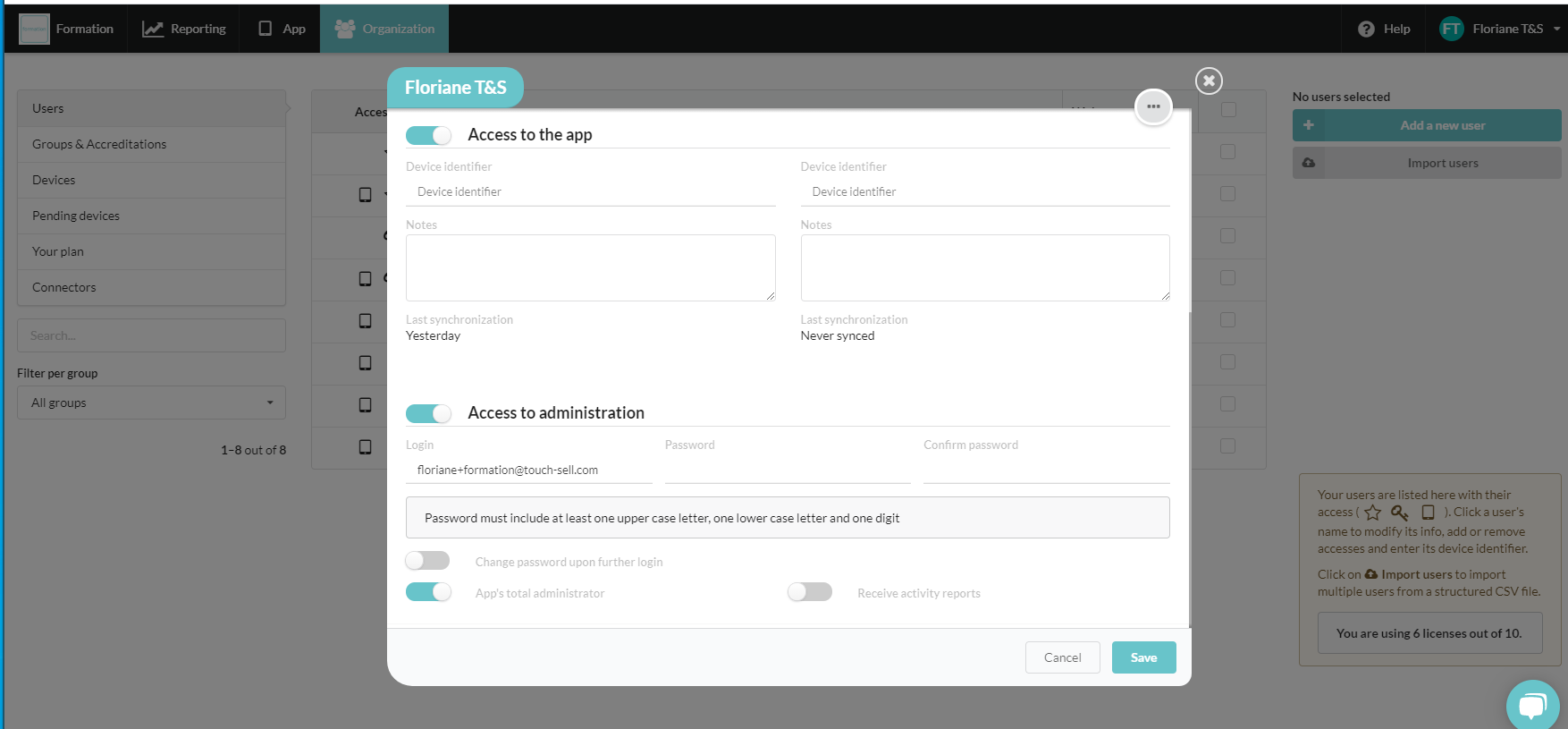
These accreditations are managed independently: a user can have access to either the app, the Studio, or both.
 Acces to the app
- Indicated by the icon , the App access gives users the ability to download the app on their device.
 &
&  Acces to the Admin interface (Studio)
An Access to administration (Total or Restricted) allows the user to manage the app (content, reporting, users...) by connecting to the Studio.
To give access to the Studio you will need:
1/ To activate the "Access to administration" part from the user's profile.
2/ Enter a login and a password.
3/ Check/uncheck the option"App's total administrator" to give total or restricted admin access.
Several options are available:
- Total administrator : Full access to the Studio, in charge of creating/editing users' profiles, groups and accreditations, contents...
- Restricted access : Total administrators can give view/editiding rights for some parts of the Studio, based on groups. Restricted admins will only have access to the information about the users included in the group(s) they manage.
 Access to the Reporting tab
- Acces to the stats, sent carts and form answers
- Ability to export datas.
 Acces to the App tab
- Acces to contents (view only or editing rights)
- Notifications sent by another admin to the members of a managed group, can be viewed. Ability to create and send a notif, to the members of the managed groups only.
- Acces to the downloading page and to the MDM package.
 Access to the Organization tab
- Acces to user profiles with an ability to edit some info such as the name, company, phone, UUID.
- Acces to the devices tab, with the abilty to export data and to invite users to update their app.
⚠️ Total administrators are in charge of the following actions:
- Adding/deleting a user
- Adding/managing groups and acreditations
Commentaires
0 commentaire
Vous devez vous connecter pour laisser un commentaire.