
The following are ideas for using forms in your application.
To create forms, go to your Studio > Application> Contents> Add content> New form (for more information, click here)
The answers will be saved in the Studio > Reporting> Answers to the forms.
There are two types of forms: "standard" and "full screen"
- The type of question "Photo / Video / Signature" is only possible for the standard form.
- The quiz question type is only available once you've activated the option "FullScreen"
The forms allow you to:
- Collect feedback from your users
How to easily collect the opinions of your users about the application / organization of the service / or any other subject?
By creating a form, based on the idea of a satisfaction survey, you will collect feelings, comments or feedback from your users on the use of their application, for example.
We advise you to create a dozen questions and put the form in an "internal" folder on the application.
Users fill out the form directly and simply via their tablet.
Very practical, you will receive their answers form results in your admin interface. You can analyze them later by downloading the Excel file. (Reporting> Answers to forms)
Thanks to this collected data, you can take into account their opinions and thus improve the use of the application!
- Collect prospect information at trade shows
What will your salespeople do with the pile of business cards they will receive at their shows?
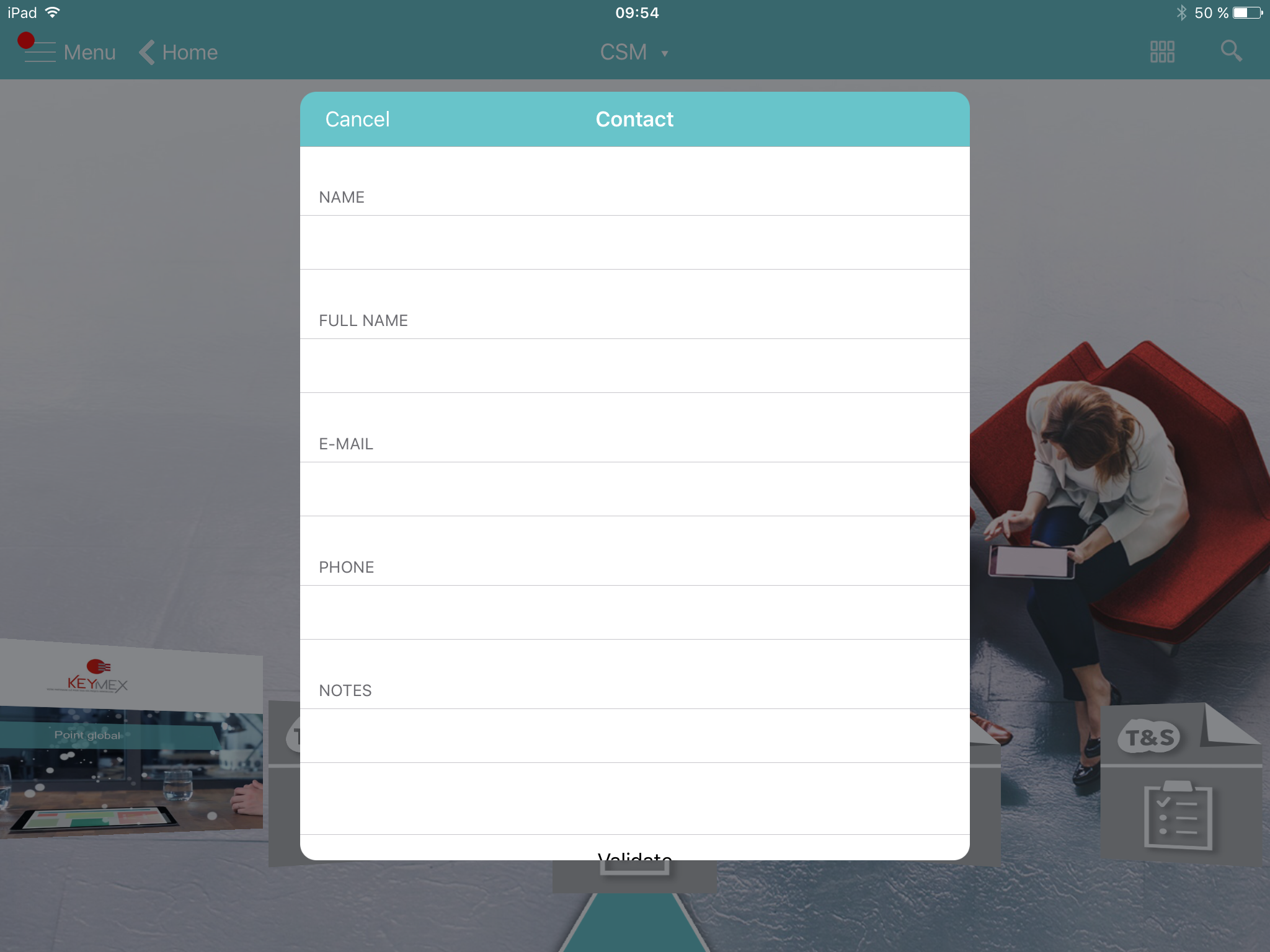
With a form in their application, they can fill in the information related to their prospect, with them, during the trade show, in a fast and fun way!
The prospect information is then stored in your administration interface, no more risk of loss of contacts!
Then you can extract the data, sort by salespeople and send them as an Excel file. (Reporting> Answers to forms)
Commentaires
0 commentaire
Vous devez vous connecter pour laisser un commentaire.