
Drag and drop a document in your T&S Studio
Simply add documents with drag & drop.
It's easy, select the file in your finder and drag them into your Studio with your mouse.
For more information, check our online support article.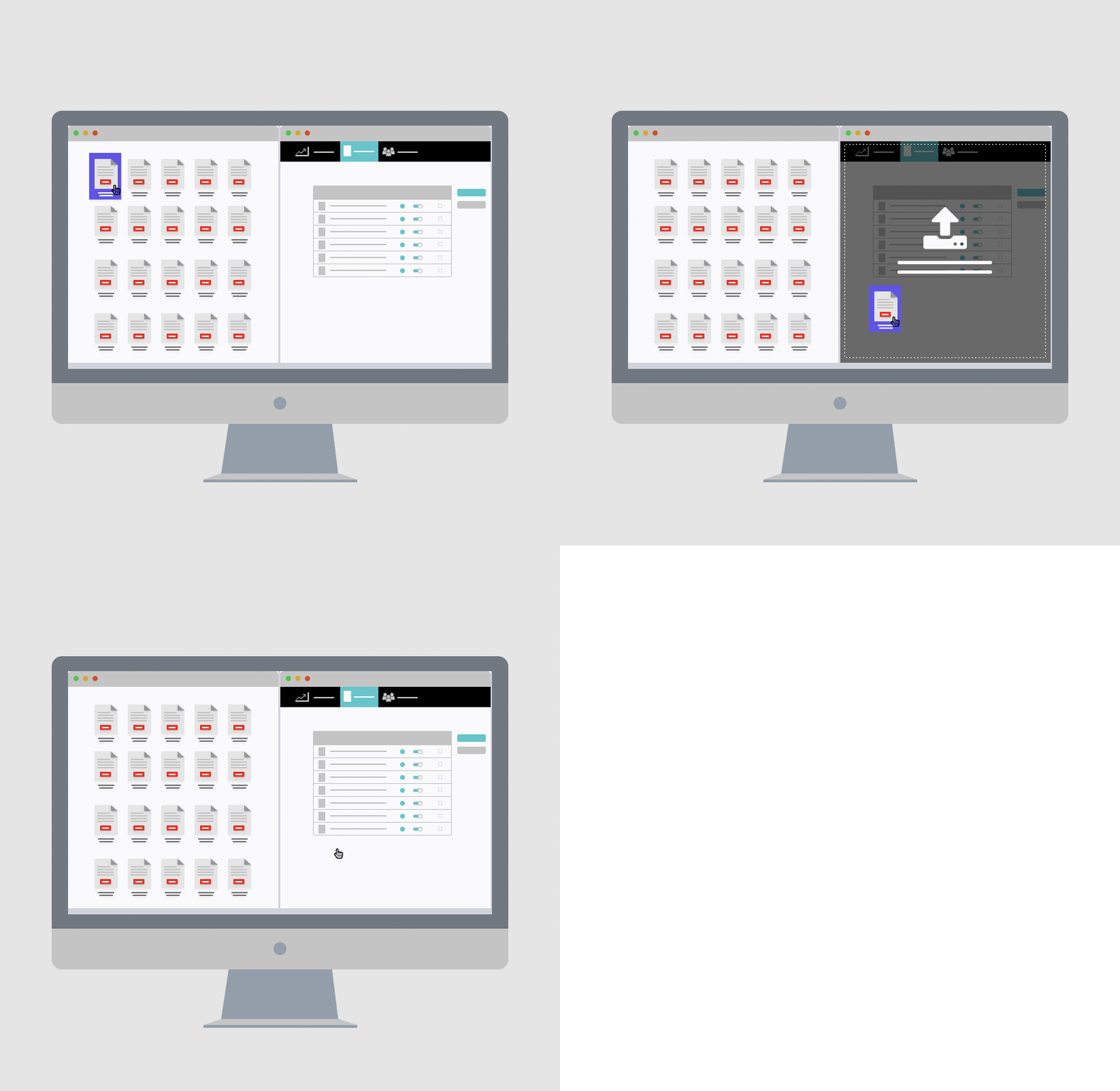
Update users in your T&S Studio
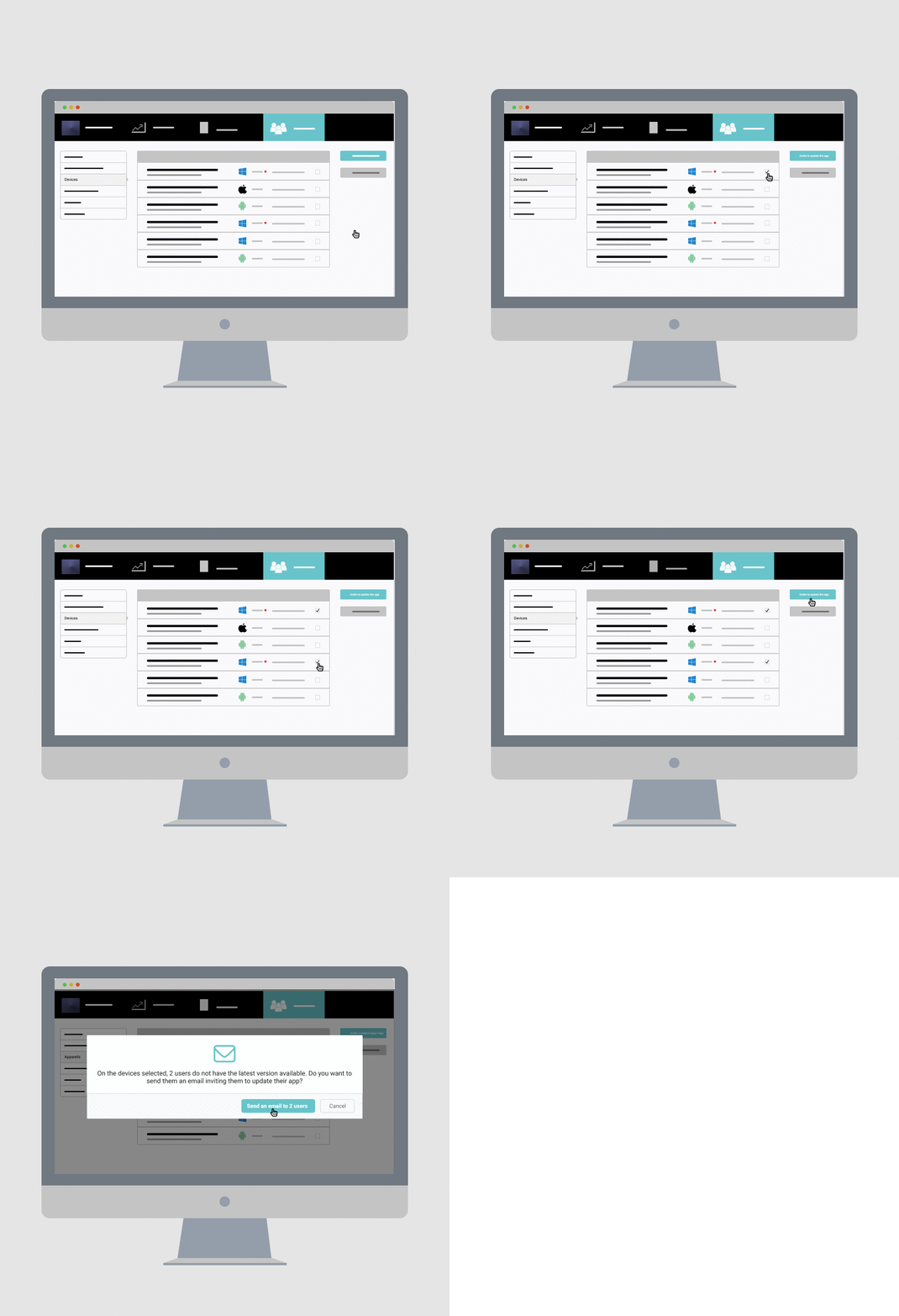
Make sure your users have the full potential of the tool by identifying in 3 clicks those who are not up to date.
From your Studio > Organization > Devices, select the users who need to update and click the "Invite to update" button on the right.
Add your users contact details in the emails sent from the document sharing
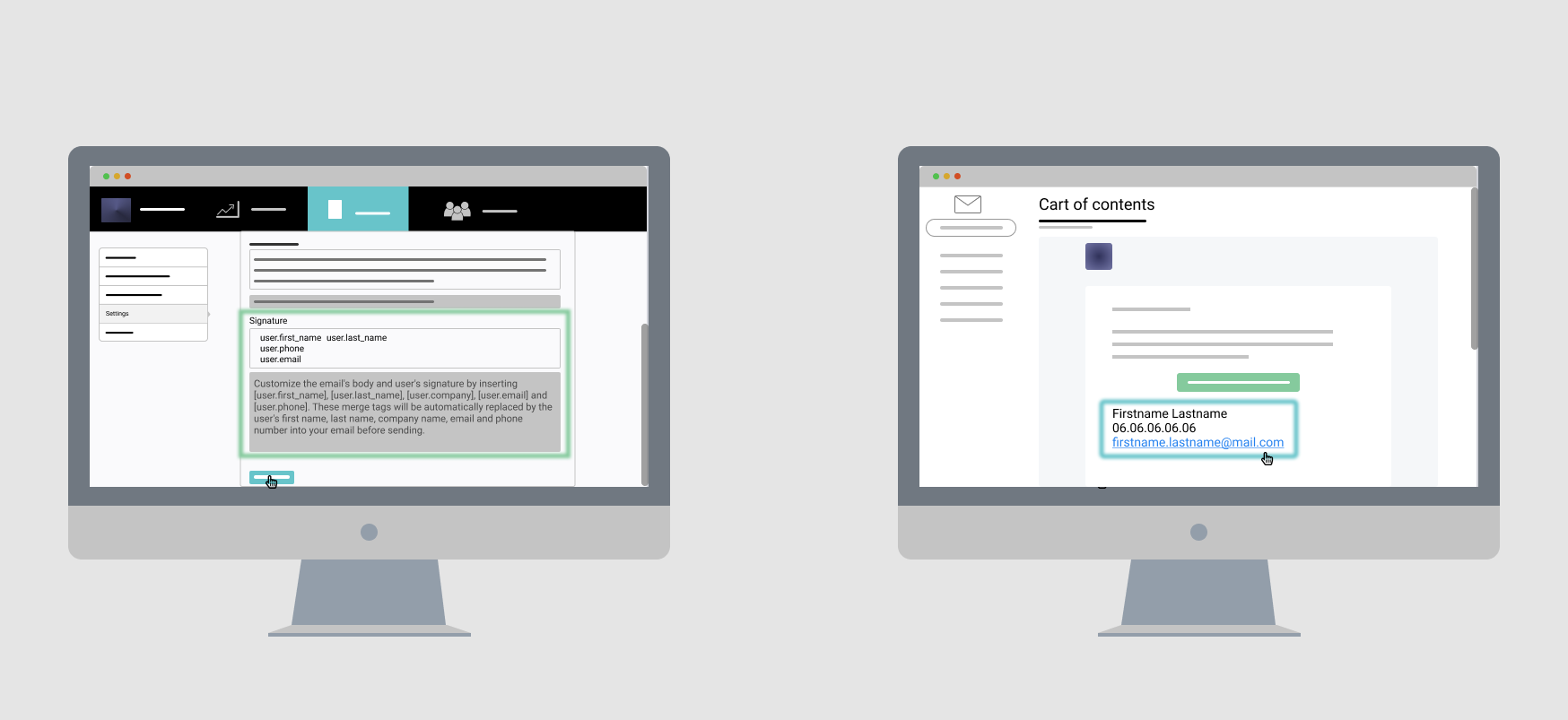
Enhance your exposure by adding your sales persons contact details in the emails sent from the document sharing built-in feature!
For more information, check our online support article.
Boost your contents using pop-up messages
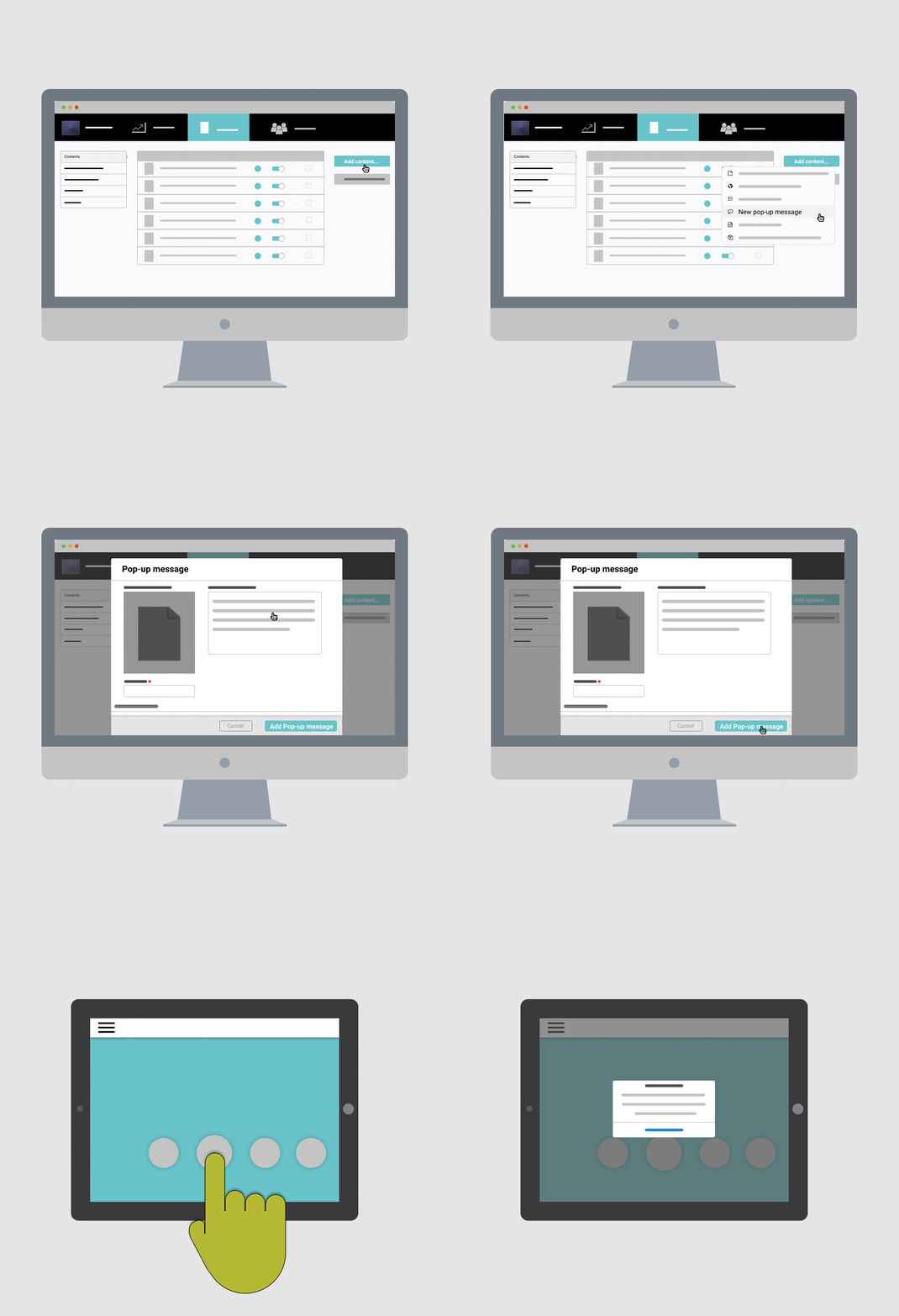
Boost your application with a pop-up message. Innovative and different content!
For more information, check our online support article.
Edit a notification already sent
You can update a notification already sent but beware, your users won't be notified a second time.
For more information, check our online support article.
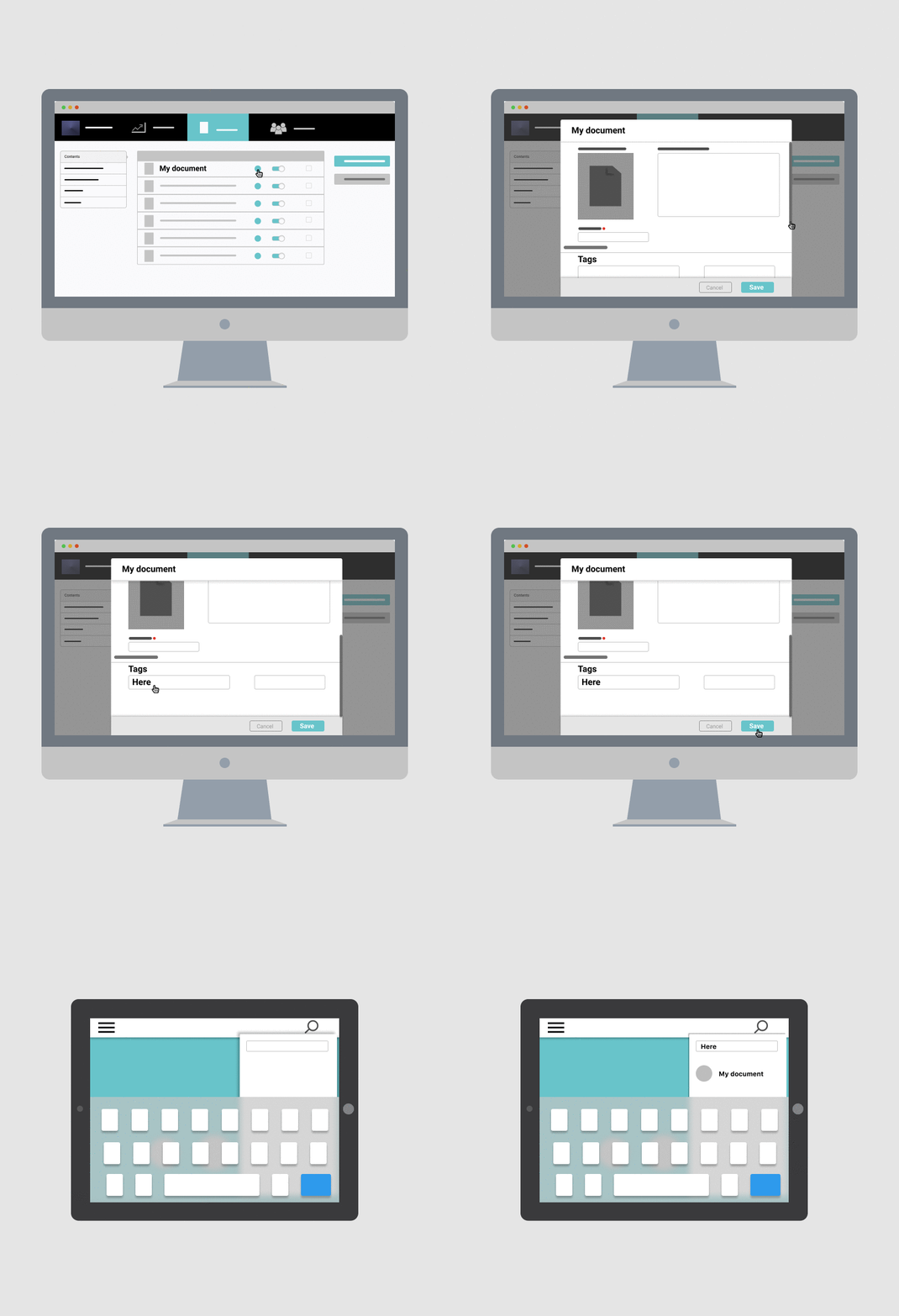
Add tags to your documents to find them in a more easily way
Increase your productivity by sending the right documents directly to the T&S Performance search bar using the tags from the Studio.
For more information, check our online support article.
Check the documents sent by your users
Increase visibility on your documents ! As an administrator, you can see the documents your users shared.
In yout T&S Studio, in the "Reporting" > "User sharing" section, you can:
- Make an Excel export of all shared documents via your users,
- Click on the recipient’s mail to know the shared documents.
Create spaces for your users
Engage your users by giving them the possibility to create their own personal section in which they will be able to:
- Download files from their device.
- Customize content directly from the application.
- Create new contents from existing templates ("Template") provided by you (pptx, docx, xlsx, etc.).
For more information, check our online support article.
Simplify the connection to T&S Performance with the SSO protocol
Save time with a simplified connection. With the single sign-on protocol (SSO/SAML), your users can log in with their corporate credentials.
For more information, check our online support article.
Check your app's performance statistics
Gain visibility on your contents and app usage!
In the “Reporting” section of your T&S Studio, you can check your app’s performance statistics: your app’s synchronizations and openings, form answers, user sharing, most opened documents...
You can export the statistics with Excel to filter more accurately the data of uses like the dates.
For more information, check our online support article.
Commentaires
0 commentaire
Vous devez vous connecter pour laisser un commentaire.